
Debug Production Code
from VS Code Dev
Access full inline runtime context direct in the VS Code.dev interface to see your live application’s behavior, without redeploying or risking production stability.

Accelerate your course to reliable software
Engineer remotely
from your IDE
Connect directly to remote environments from your IDE and capture runtime data on demand. Inspect execution paths, variables, and logic under live traffic without changing code.
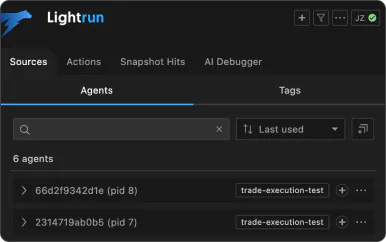
Streamline your
deployment cycle
Add missing logs, snapshots, or metrics on demand directly into the VS Code.dev interface. Observe your live application’s state without redeploying services.
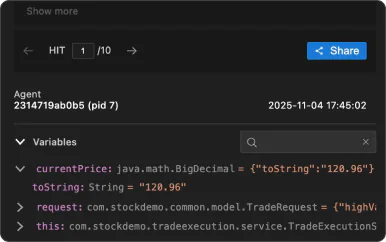
Accelerate
investigations with AI
Supply your IDE enabled AI code agents with live runtime context via MCP, so they reason over real execution behavior to validate code and prevent issues arising.
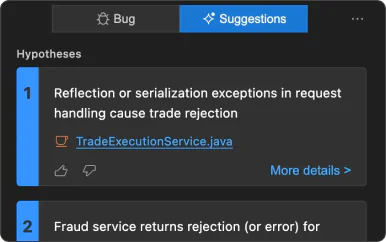
Three simple steps to runtime context
1. Install the Lightrun extension from
the Extensions Marketplace
Open the Extensions panel in VS Code.dev, search for the Lightrun extension, and add install it.
2. Authenticate the plugin wit
your Lightrun account
After signing in, Lightrun connects automatically. Ensure your application is running with a Lightrun agent to begin instrumenting.
3. Select a running application
to instrument
Select a running application from the Lightrun view and inject logs, snapshots, or metrics. Get data instantly in VS Code.dev without redeploys.