


Lightrun Answers was designed to reduce the constant googling that comes with debugging 3rd party libraries. It collects links to all the places you might be looking at while hunting down a tough bug.
And, if you’re still stuck at the end, we’re happy to hop on a call to see how we can help out.
Syntax Highlighting not working with Nativefier
See original GitHub issuecode-serverversion: v1.32.0-282- OS Version: Mac, server hosted on Ubuntu 18.04.1 LTS
Description
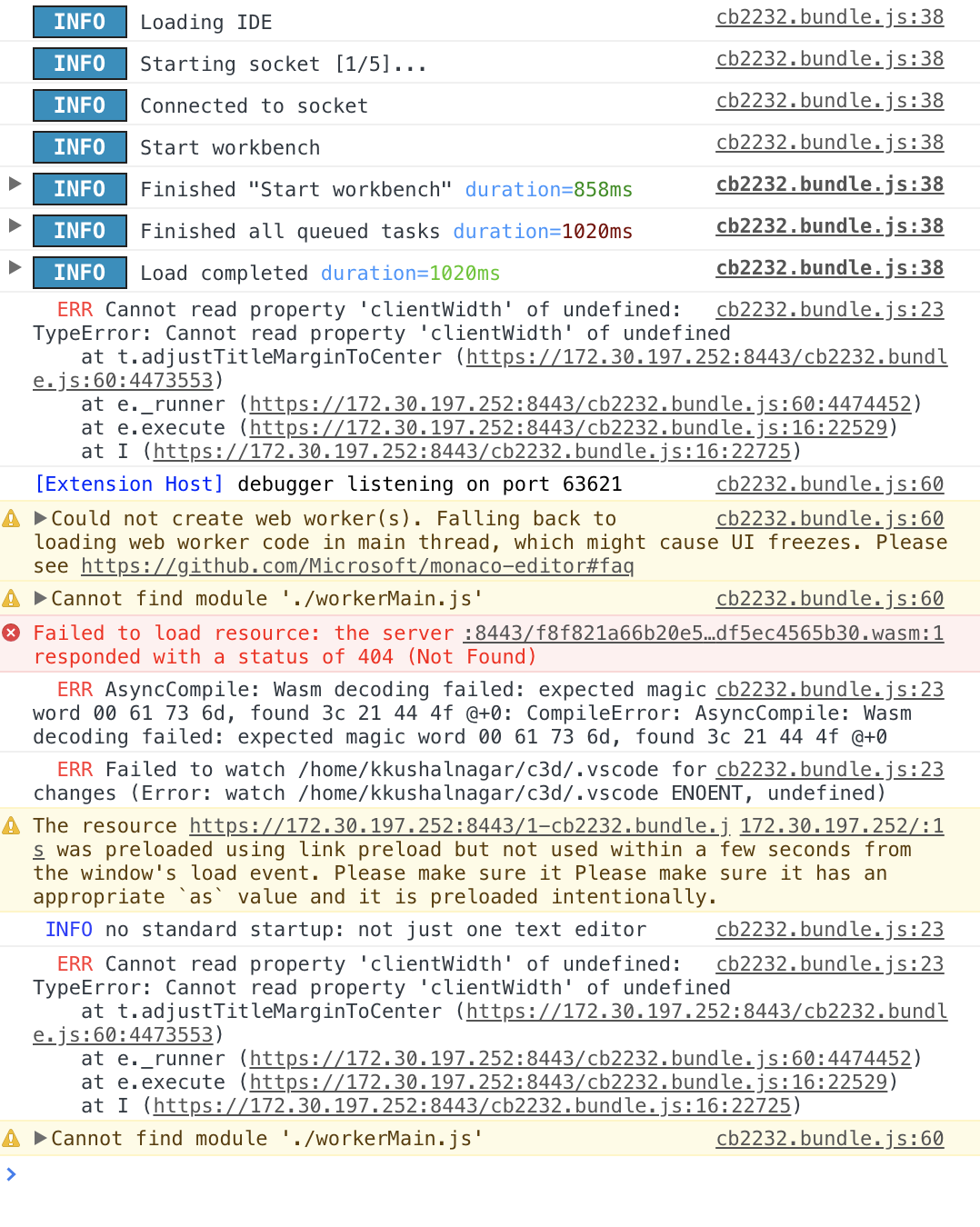
Synatx highlighting for all files does not work with Nativefier (which hosts a browser in an electron app). I’ve had occasional issues using it in the web browser where the syntax highlighting stops working, so this could be related.
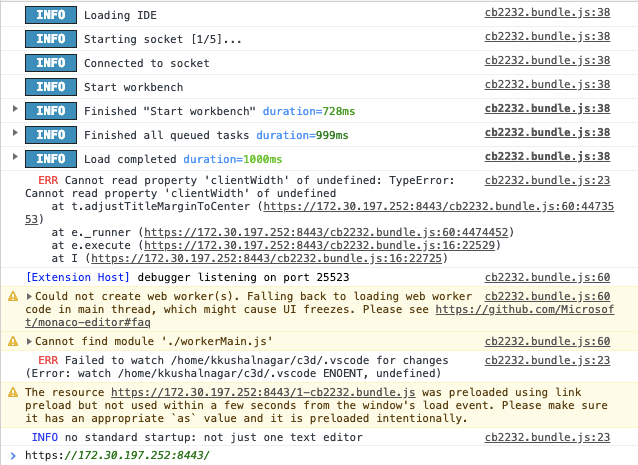
Screenshot of console in a working browser window
Screenshot of console in the nativefier app
Steps to Reproduce
- Install Nativefier
npm install nativefier -g - Open vs code server with nativefier
nativefier --ignore-certificate https://xx.xx.xx.xx:portThe files do not have syntax highlighting
This was tested with all relevant looking flags (–insecure, --enable-es3-apis, --ignore-certificate, --flash), but none of them got syntax highlighting to work.
Issue Analytics
- State:

- Created 4 years ago
- Comments:11 (3 by maintainers)
 Top Results From Across the Web
 Top Related Medium Post
 Top Related StackOverflow Question
 Troubleshoot Live Code
 Top Related Reddit Thread
 Top Related Hackernoon Post
 Top Related Tweet
 Top Related Dev.to Post
 Top Related Hashnode Post
I was having the same problem. What I did was move the auth to Nginx using basic auth, then added a special case to turn it off. Nativefier can then be set with the username & password to auto-login. Now the only thing that escapes auth is the .wasm extension.
I also set the server to --no-auth.
I followed the steps above and syntax highlighting seems to work, unless i am not understanding correctly: